
Admin teams are busy enough without constantly dealing with messages such as:
“I’m picking Tommy up early”, “Can you make sure Sarah has her inhaler?” or “Can I collect Ben late from afterschool club?”
With CoB, important information is recorded, visible, and available to the staff who need it.
Live Registers
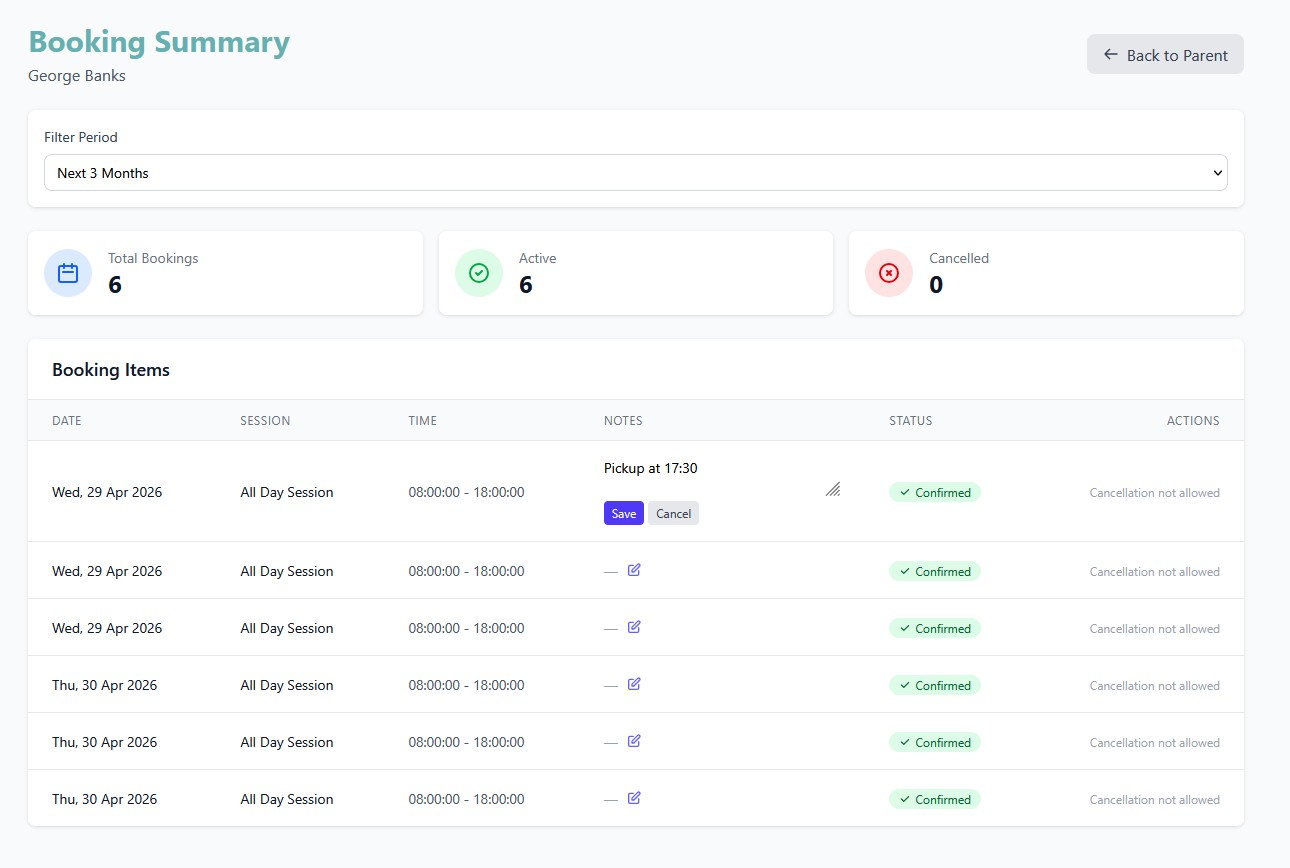
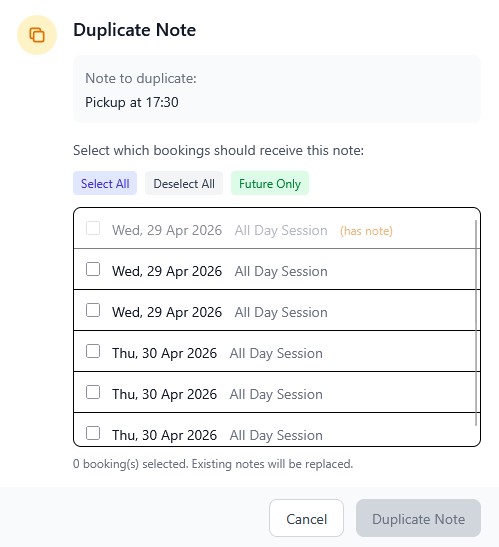
When a parent makes a booking, they can leave a message against that booking. The message can also be copied to other sessions within the same booking.
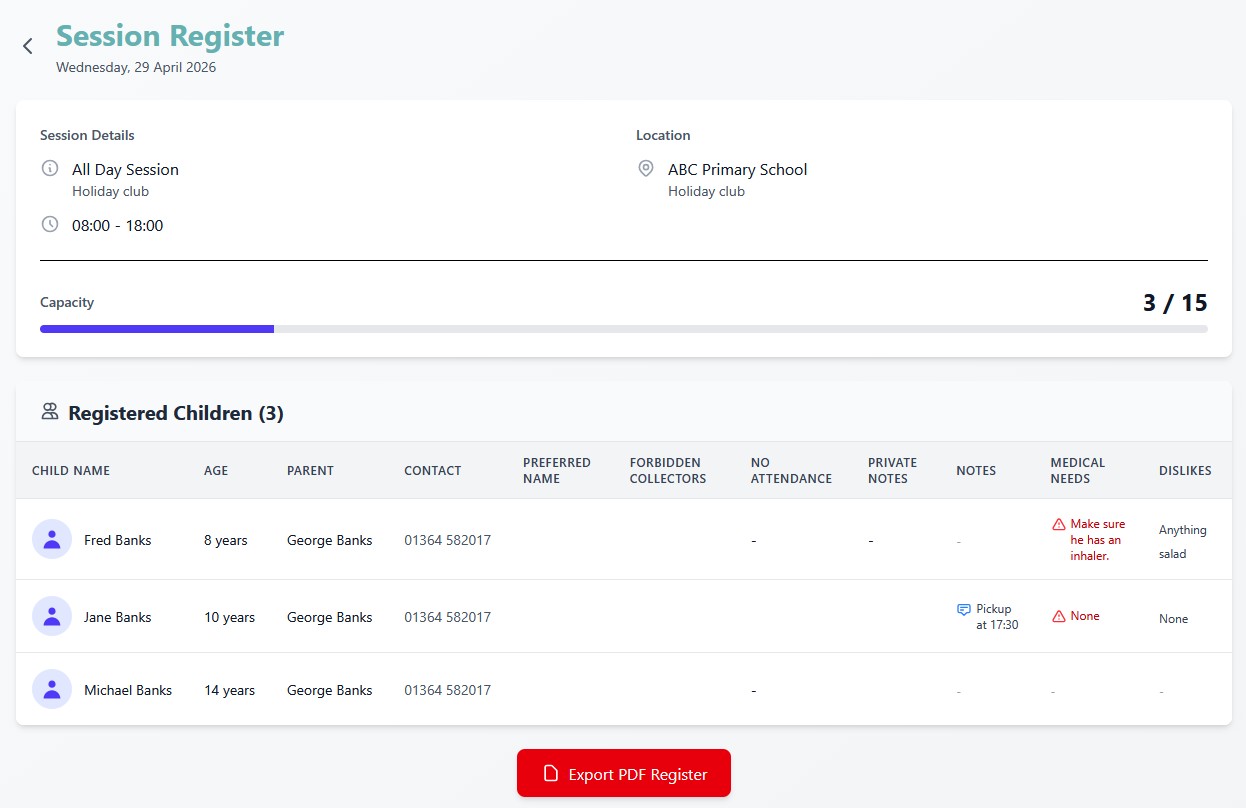
These notes are automatically shown on the live register, so staff can see them straight away. If Tommy is being picked up early, staff know without needing a phone call.
Medical and allergy information is also automatically included on registers. Any changes made to a child’s account appear on the live register, helping staff stay up to date.
Other custom fields can also be included, giving your club the flexibility to show the information that matters most.
Push Notifications
Parents can access their account from a mobile device, laptop, or desktop computer. Each device can be registered to receive push notifications.
This allows admin staff to send one-way messages instantly to registered parent devices.
Push notifications can also be used to confirm bookings or let parents know when their child has been signed in or out of the club.
Forms
CoB allows you to create custom forms for your setting. Forms can be used for accidents, safeguarding issues, behaviour notes, general records, and more.
A form entry can be shared with a parent when needed. Fields can be set as admin-only or parent-only.
For example, a parent-only field could be used to request a signature, allowing the parent to read and sign the form directly.
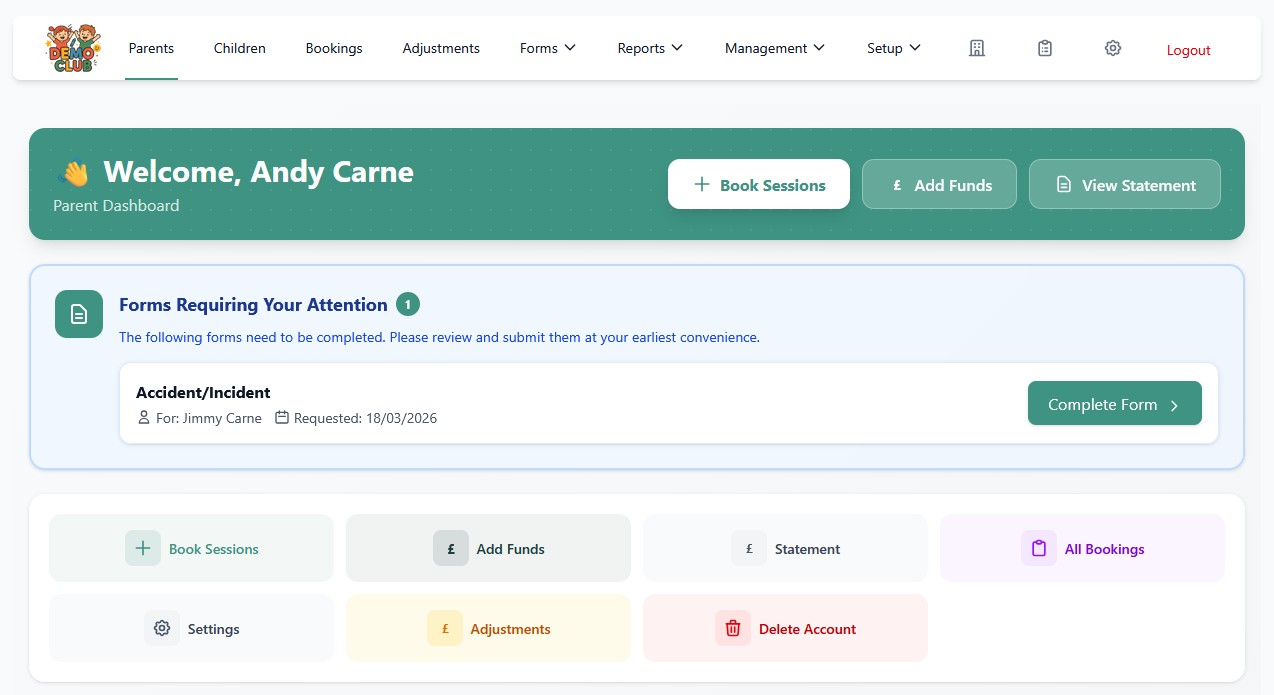
Shared forms are clearly highlighted on the parent’s dashboard, making it easy for parents to review and respond.
Less Chasing. Fewer Interruptions. Better Records.
CoB helps keep communication simple, visible, and properly recorded, reducing admin pressure while giving staff the information they need at the right time.