
You can now publish news directly to your parent portal, ideal for club updates, booking announcements, upcoming events and reminders.
Alongside Mail Merge and Push Notifications, News gives your club another way to communicate with parents. Share updates in one place so parents can catch up when they visit their dashboard.
Creating a news article
-
Open Manage → News
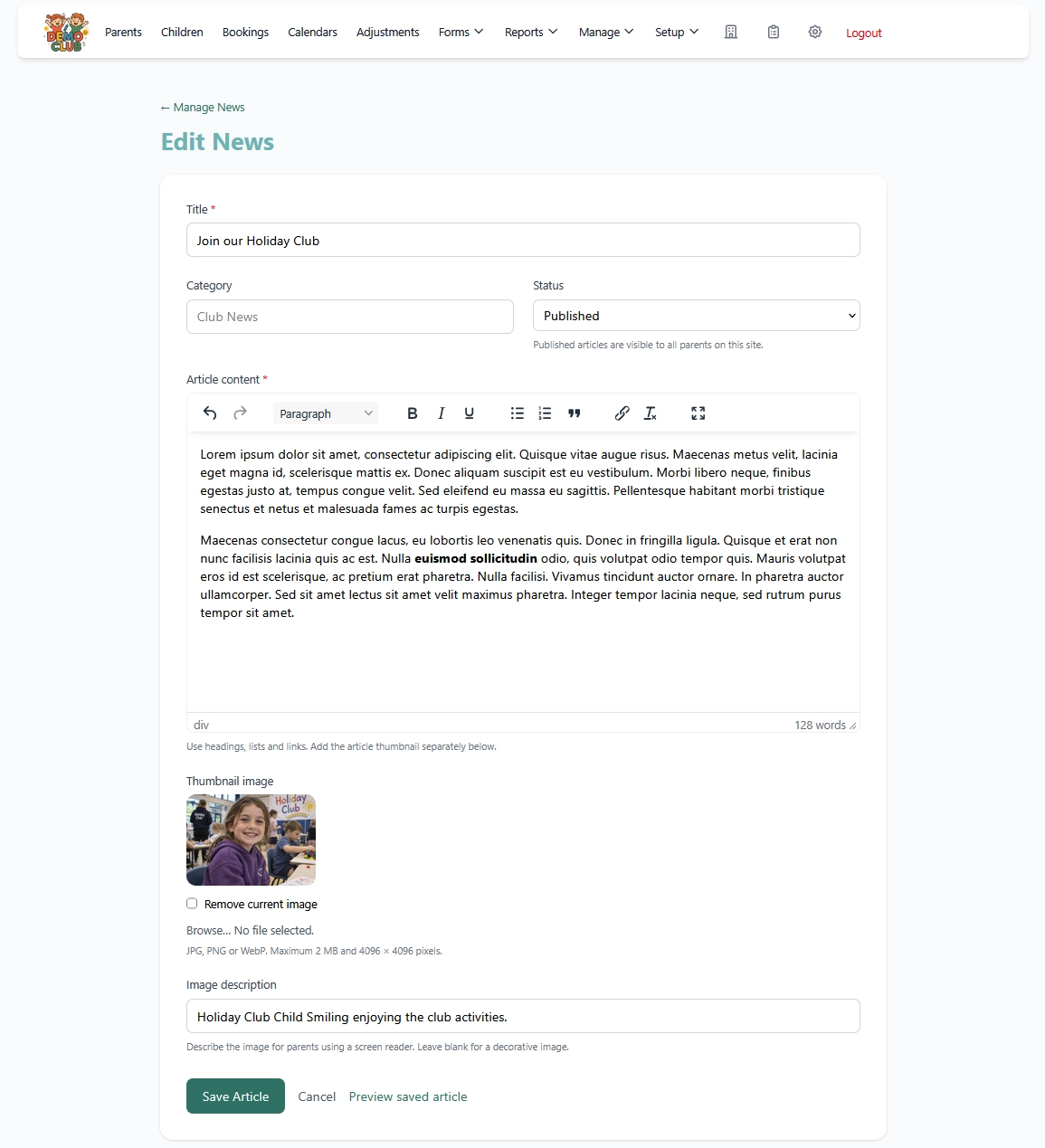
Select Create News, enter a title and optionally add a category, such as “Club News”.
-
Write your article
Use the text editor to add your message. Headings, bold text, bullet points and numbered lists help make longer updates easy to read.
-
Include useful links
Highlight some text and select the editor’s link button. Paste the address of a webpage or social media post, for example, a Facebook update or Instagram post. Parents can follow the link from your article to see more.
-
Add an optional thumbnail
Choose a JPG, PNG or WebP image to accompany your news. Images must be 2 MB or smaller, with dimensions no greater than 4096 × 4096 pixels. You can also add an image description for parents using screen readers. If your image is too large, a message will help you choose a suitable replacement.
-
Save a draft or publish
Choose Draft to keep working privately, or Published to make the article visible to parents. Select Save Article to save your changes. You can edit or unpublish an article later.
Where parents will see your news
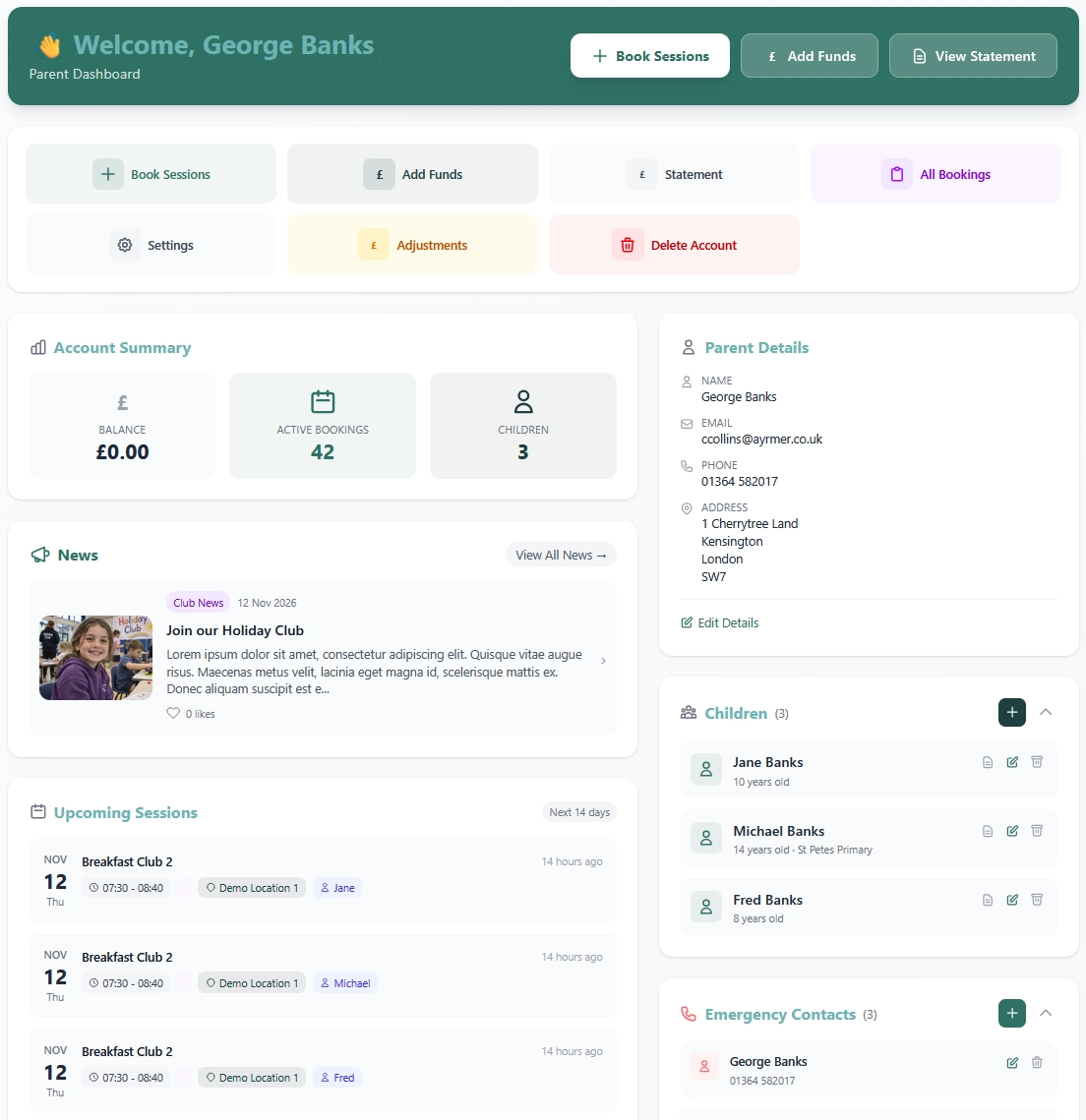
Published news appears on the parent dashboard, below Account Summary and above Upcoming Sessions. Parents can browse the three latest articles, open an article to read it in full, or select View All News to visit the archive. When there is no published news, the section stays hidden.
Simple feedback with Likes
Parents can also select Like at the bottom of a full article to give simple feedback. Each parent account can like an article once and select Unlike to remove it. Like totals appear alongside the news, and administrators can see them under Manage → News, a simple way to see which updates parents appreciate.
More ways to keep parents informed
Use News for updates parents can return to from their dashboard, Mail Merge for newsletters and email updates, and Push Notifications for messages sent directly to registered parent devices.
Explore our parent communication tools or read about promoting your childcare sessions with CoB.
Keep parents informed with CoB
Explore News, Mail Merge and Push Notifications with a free CoB demo.
Start Your Free Demo