Online bookings & scheduling
Parents book online while you control sessions, capacity, cut-off times and cancellation rules.

One connected childcare management system
CoB brings online bookings, live registers, payments, parent communication and day-to-day childcare administration into one practical platform.
Built for breakfast clubs, after-school clubs, wraparound care, holiday clubs, nurseries, schools and providers working across several locations.
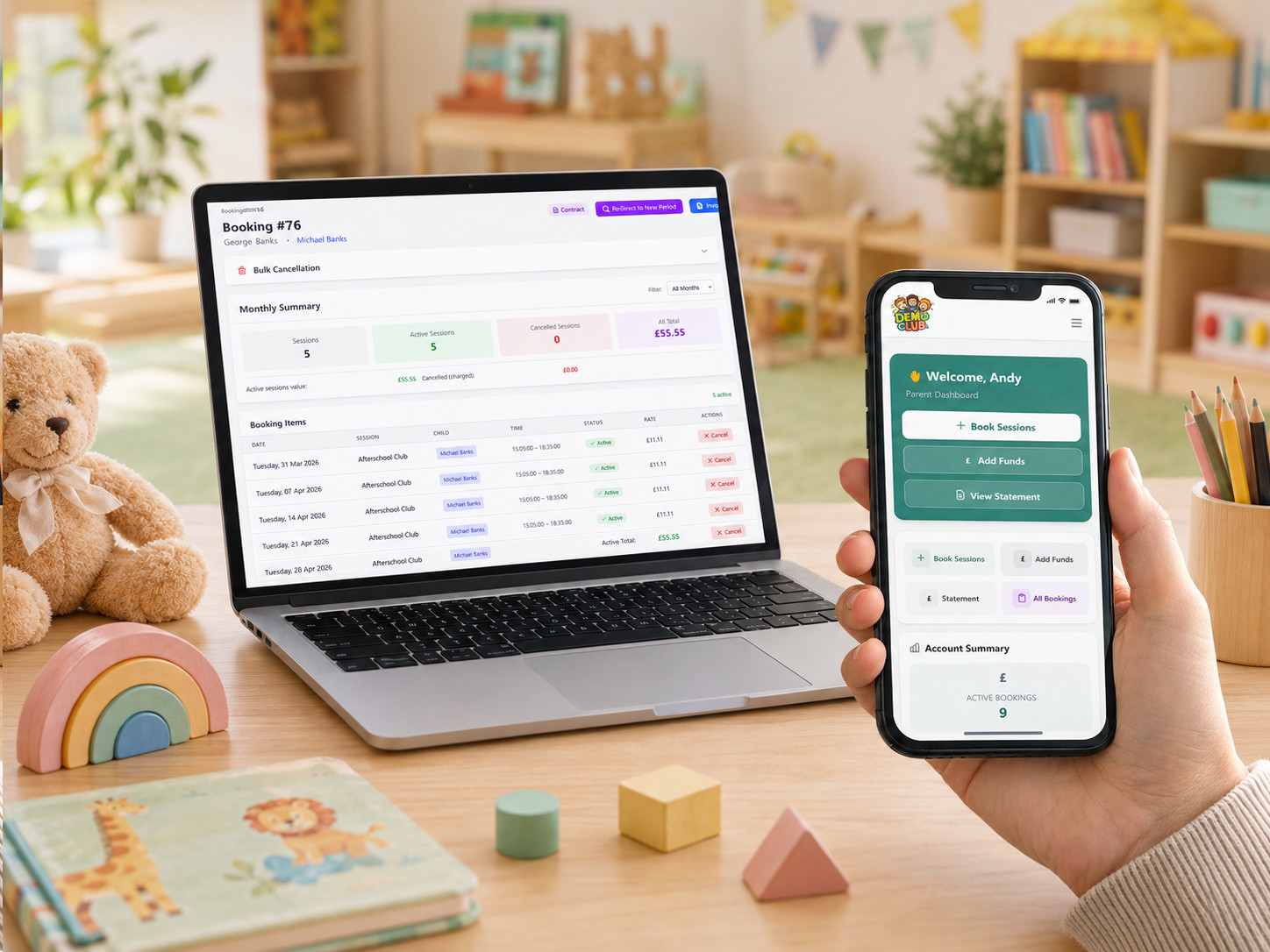
Genuine CoB product screens
What CoB brings together
Each part of CoB is connected, reducing repeated data entry and helping your team work from current booking, attendance and account information.
Parents book online while you control sessions, capacity, cut-off times and cancellation rules.
Registers reflect bookings and put sign-in, sign-out and important child information in one view.
Parents can manage bookings, payments, statements, notes and notifications from their phone.
Keep invoices, statements, supported payment methods and outstanding balances organised.
Build the forms your setting needs, request signatures and retain organised submissions.
Review financial, booking and attendance information, then export data for further work.
Send notifications and targeted messages while keeping booking notes visible to staff.
Keep medical, allergy, emergency and safeguarding records accessible to authorised staff.
A closer look
Set up how your provision operates, give parents clear self-service options and keep your staff working from connected information.
01
Bookings & scheduling
Parents can make childcare bookings online while you define the sessions, availability and rules behind them. CoB supports flexible ad-hoc booking and repeat contract arrangements, helping providers accommodate different ways families use childcare.
02
Registers & attendance
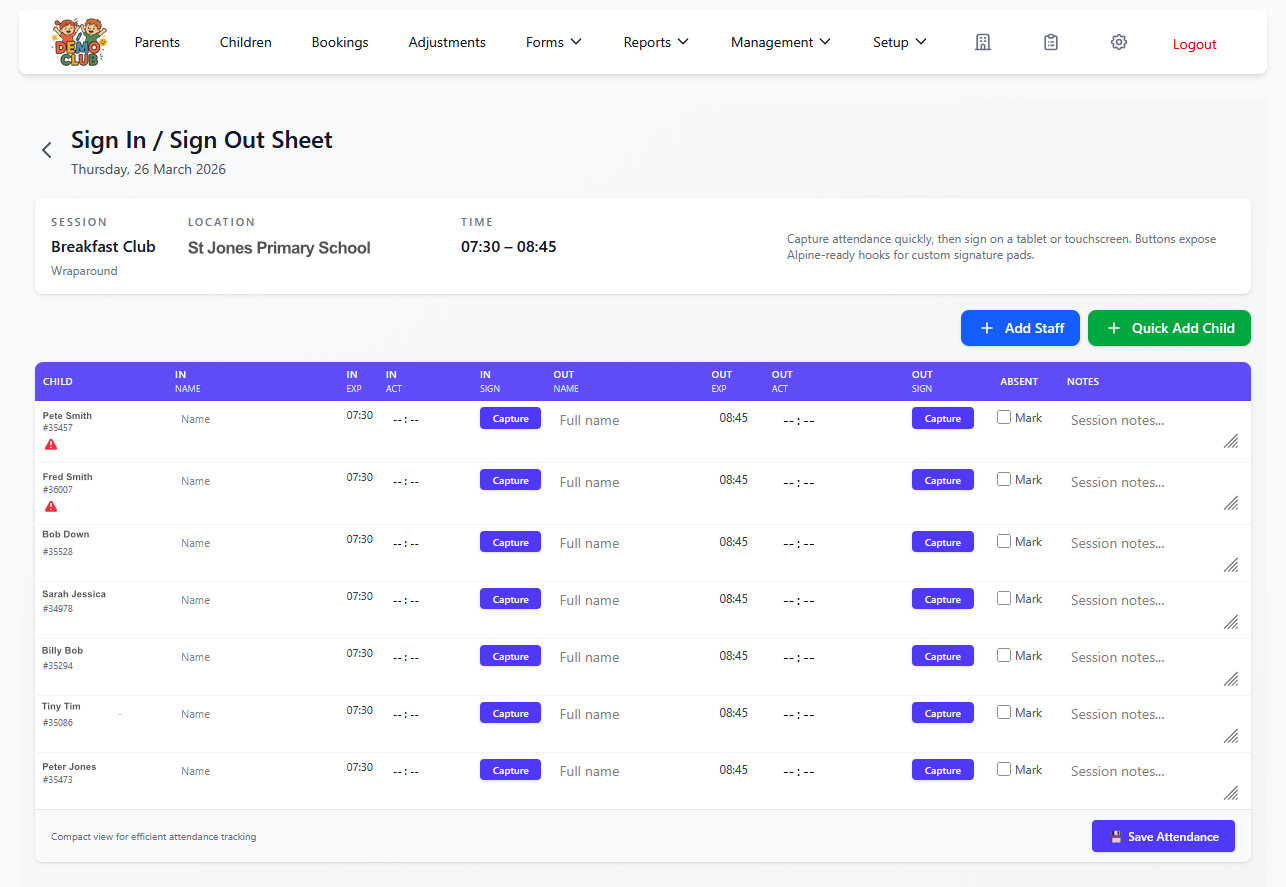
Daily registers are generated from current bookings. Staff can record digital sign-in and sign-out, add an unexpected session when required and refer back to historic attendance records without maintaining separate paper lists.
The electronic childcare register can display medical and allergy alerts, parent booking notes and emergency information alongside attendance. For providers with several locations, access to registers can be limited by location.
Parent experience
Parents can manage everyday childcare tasks from their phone, reducing routine booking and account enquiries for your team.
Make bookings, pay for sessions, review statements and see current booking information.
Receive booking confirmations, provider messages and sign-in or sign-out alerts.
Parents can add notes to bookings so staff see relevant information on the daily register.

Money and important information
Payments & accounts
CoB keeps bookings and parent accounts connected. Providers can use online card payments alongside other configured methods, including childcare vouchers and Tax-Free Childcare.
Child information
Authorised staff can access current information that supports safe day-to-day care, including medical details, allergies, emergency contacts, authorised collectors and updates made by parents.
These tools support your setting’s safeguarding processes; the software does not replace your policies, professional judgement or regulatory responsibilities.
03
Forms & records
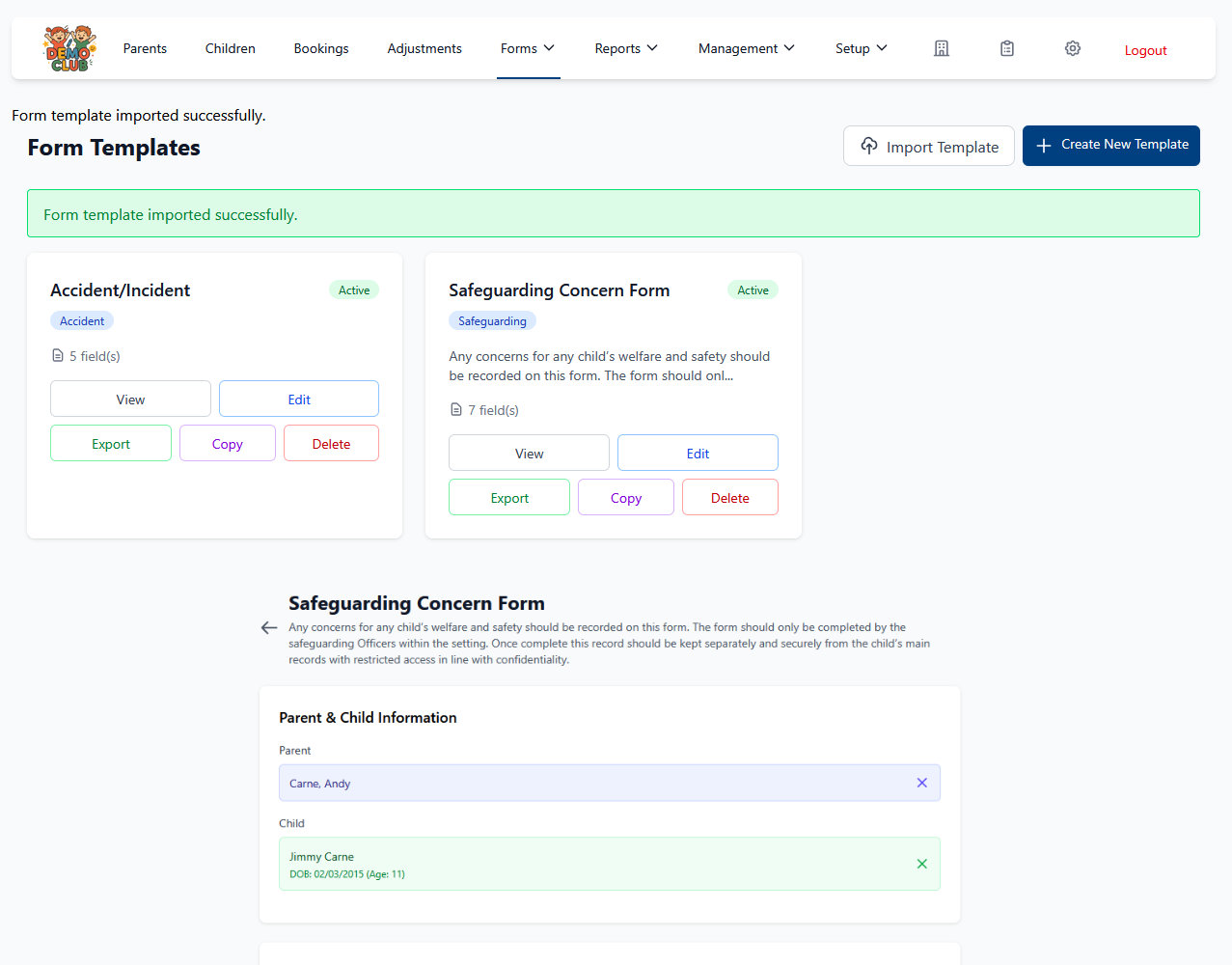
Build a reusable form library around the information your provision collects. Forms can be kept for administrative use or shared with parents, and submissions remain organised for future reference.
04
Reports & exports
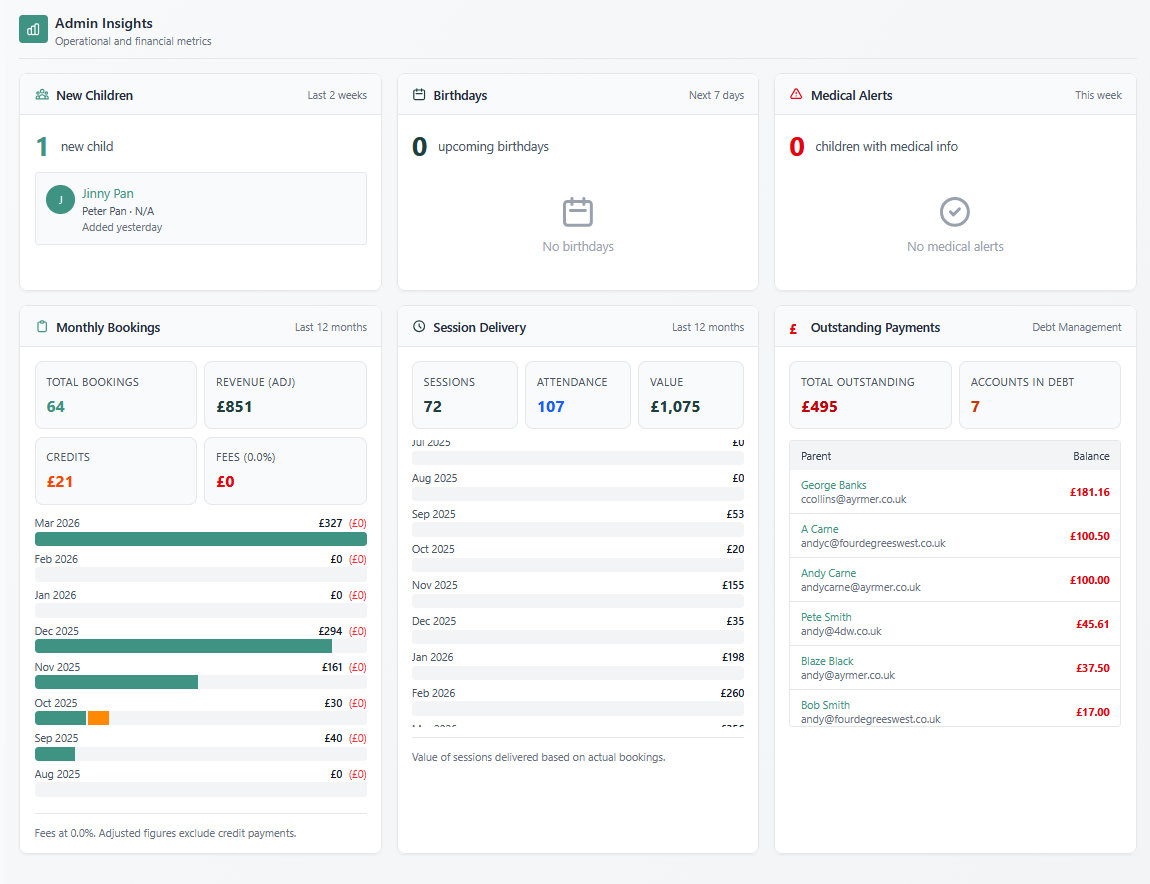
Use operational and financial views to understand bookings, attendance, occupancy, session delivery, balances and debtors. Data tables can be exported to CSV for work in Excel or accounting processes.
Fill places and keep people informed
Configure the options that suit your provision rather than forcing every setting into the same operating model.
Send instant app notifications, booking confirmations and sign-in or sign-out alerts. Target parent emails using filters, create mail-merge communications and include attachments when required.
Providers configure the pricing rules that fit their service, including sibling or staff discounts, early-booking offers, promotional codes, custom discounts and late-collection fees.
Set session capacity, use waiting lists to manage demand and review occupancy information for staffing and session planning. Your team remains in control of when places become available.
CoB supports individual settings and organisations operating across several locations. Location managers can be restricted to the registers and sign-in information relevant to their provision.
Built for different provisions
The same connected system can be configured around different session patterns, booking rules, locations and ways of working.
Provider experience
These comments are reproduced from customer testimonials on the existing Childcare Online Booking website.
“It has saved time, money and reduced the amount of bad payers. Parents love the flexibility the system offers.”
“Since using our COB system we have drastically reduced admin time and made parents happy.”
Features FAQs
Clear answers about what the CoB childcare management system can support.
CoB connects online bookings, live registers, parent accounts, payments, forms, reports, communication and safeguarding records. The exact configuration can reflect your sessions, locations and payment methods.
Yes. Providers can create session-based booking options for breakfast clubs, after-school clubs, wraparound care and holiday clubs, with capacity and booking rules for each session.
Yes. Daily registers are generated from bookings and support digital sign-in and sign-out, attendance history, unexpected sessions, parent notes and relevant child information.
Yes. Parents can use the mobile app to make bookings, pay, review statements, add booking notes and receive booking or attendance notifications.
CoB supports childcare vouchers, Tax-Free Childcare and other configurable payment methods alongside online card payments. Providers retain control of how payments are recorded and reconciled.
Yes. CoB supports single- and multi-location organisations, including location-specific access to registers and sign-in information.
Yes. The form library supports custom templates, parent-facing or administrative forms, organised submissions and electronic signature requests.
See the connected system
Explore the complete system with a free demo and see how bookings, registers, payments and parent administration work together.