
Important Update
We need to update all Stripe accounts in order to do this we need to add a WebHook. This is a bit like when you created your initial Secret Key and Publish Key.
Creating the WebHook
Here’s the link to create it yourself, however you do need the URL from us, each account is unique so please contact us and we’ll provide you with the EndPoint URL for your club.
https://docs.stripe.com/development/dashboard/webhooks?locale=en-GB
Any problems please give Andy a call – 01364 582017
Step by Step Guide
1 . Login to your Stripe account, you need to access the Developer section use the search at the top and type Developer
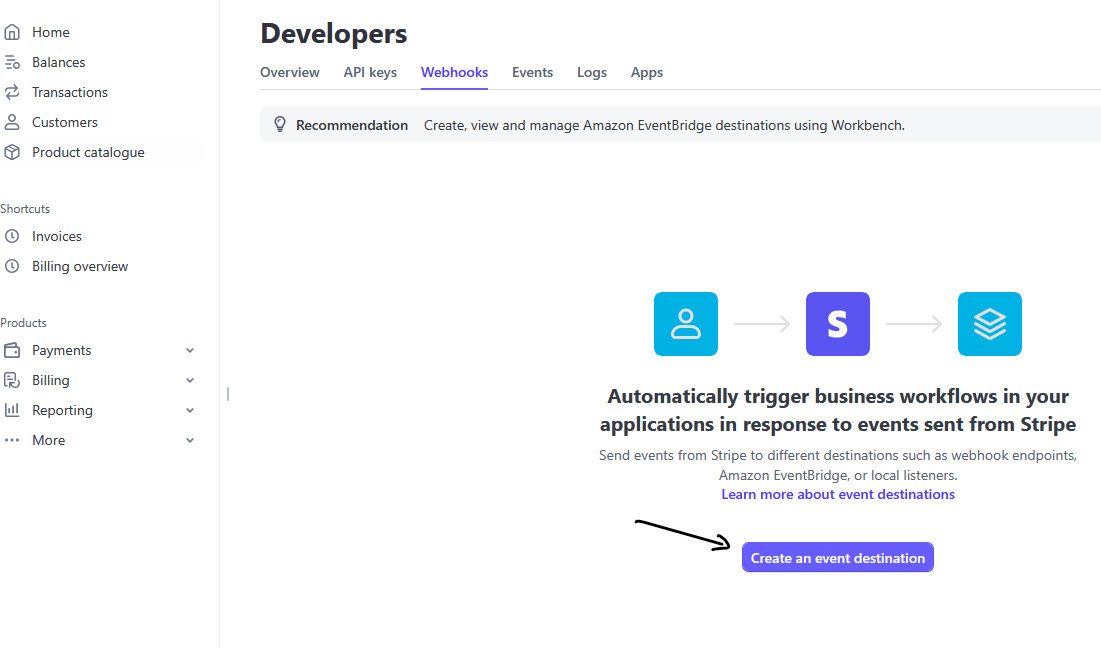
2. Select WebHooks from the Developer Tab
3. Press the Create an event destination button
Adding your URL
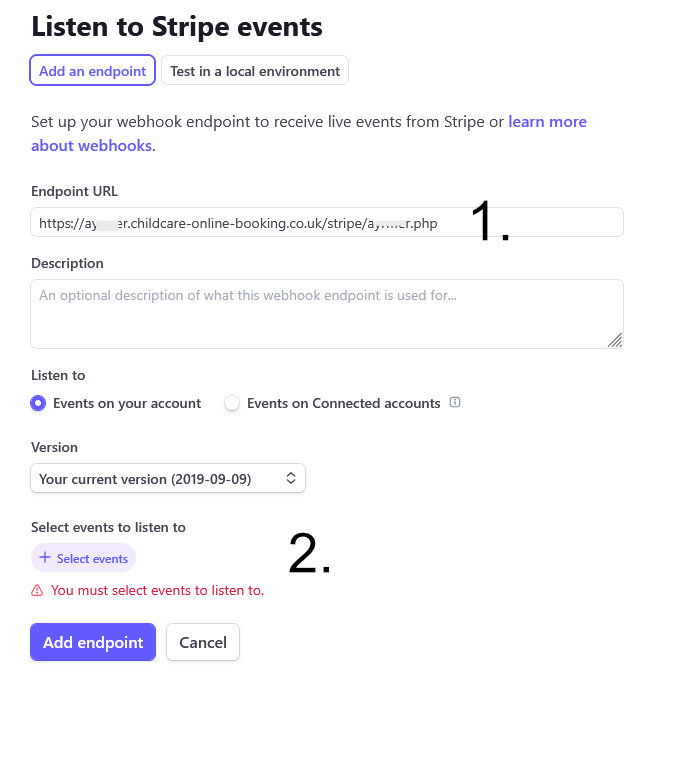
1. Copy and Paste the URL we supplied you with into the Endpoint URL box. (see image).
2. Select events
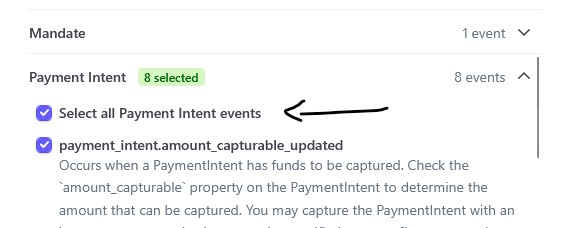
3. Scroll down the list of events to Payment Intent and select all 8 Events.
4. Press Add endpoint
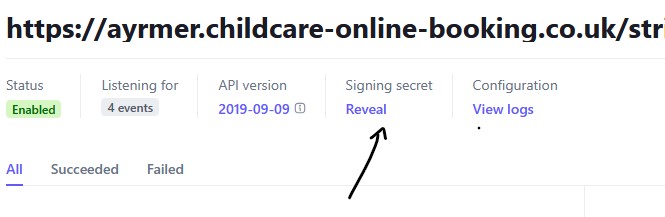
Copying your secret key
Finally we need you to reveal the secret key. Copy it and paste it to us…
3.
See how CoB could work for your setting
Explore the complete booking and childcare management platform with a free 30-day demo tailored to your provision.
Start Your Free Demo